Akai S5000
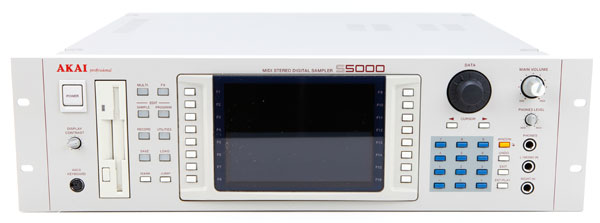
S5000
The Akai S5000 and S6000 feature DOS (FAT32) disk format and .WAV files as the native sample format. Stereo WAV files are treated as a single sample (instead of two mono L/R samples) allowing easier sample editing and program creation. Any standard PC WAV file can be loaded directly for instant playback from any PC formatted hard drive attached to the S5000 or S6000 - including downloaded samples available on the Internet.
Both models feature a 64-voice system, and both are upgradable to 128-voices (U.S. Version). Improved programming options allow for up to 128 multi programs to be loaded into RAM at any one time, a 'QUICKLOAD' function to load programs directly into parts, and Akai's APM (Assignable Program Modulation) which offers a comprehensive range of new filters, flexible envelope generators, LFOs and more. The S6000 also offers programmable "user keys" which can be assigned to any page for rapid access to commonly used functions.
The S5000 features eight individual analog outputs (upgradable to 16) and a stereo master analog output, while the S6000 comes equipped with 16 + 2 analog outputs. The S6000 also includes balanced stereo input jacks which are accessible by either the rear panel connectors or via the convenient jacks located on the S6000's front panel.
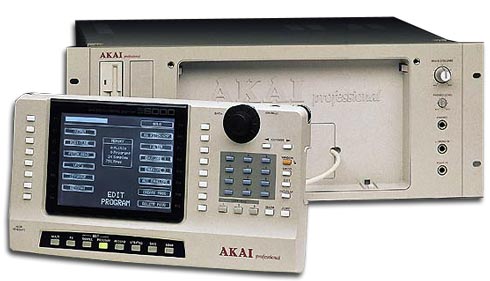
S6000
The front panel of the S6000 features a removable, full-function remote control panel allowing operation from a convenient location within a 30 meter range.
Samples can be recorded into RAM or directly to hard disk. Playback from either is transparent, allowing playback of long samples directly from disk without having to load them into memory. RAM is expandable to 256 MBytes and the operating system runs from easily upgradable flash ROM. Stereo digital I/0 is standard and both models are capable of handling up to 16 individual analog outputs which can be configured as stereo pairs. The S5000 and S6000 also include two SCSI ports. The Wordclock connector insures easy integration into an all-digital studio and an optional ADAT interface provides sixteen digital outputs.
Both models feature a large 320 x 240 LCD graphic display, with eight dedicated function keys running down both sides of the screen -- placing 16 of the most commonly used programming functions at the user's fingertips.
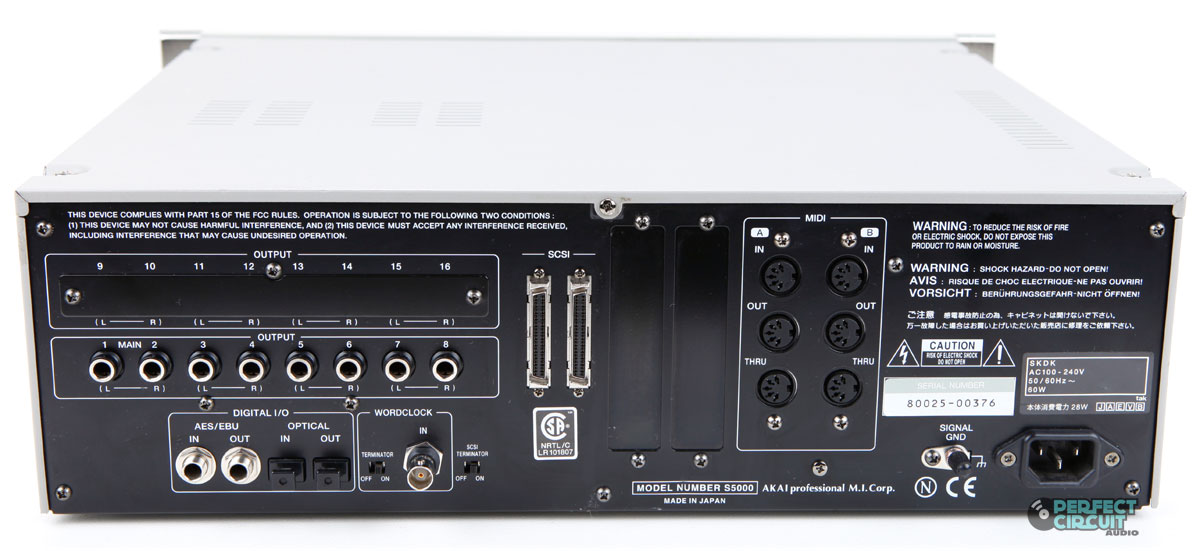
S5000 Rear
The Akai S5000 and S6000 offer a wide variety of storage options, including the ability to replace the standard 3.5" floppy drive with an optional, internal Zip(TM) drive. The S6000 also offers an expansion slot on the front panel for an additional 3.5" drive. The S5000/S6000 has been used by Underworld, Nick Rhodes (Duran Duran), Max Graham and ATB.
You Might Also Like

Demos & Media
ManualClick this link to download the owner's manual from Akai.
Specifications
Polyphony -
64 voices (expandable to 128 with the VOX64 Voice Expansion Board)
Sampler -
18-bit A-D converters with 64 x oversampling 5th order Delta Sigma.
Memory -
Up to 256MB of RAM using standard off-the-shelf SIMMs. Reads Akai S1000 and S3000 series sound library.
Filter -
Extensive filtering functions offer 26 types of resonant 4-pole and 2- pole lowpass, bandpass and highpass filters and many more.
Effects -
3-band digital off-line EQ with variable gain. SampleVerbII (EB20) 20-bit 4-Channel Multi-effects Processor (available as an upgrade)
Keyboard -
None
Control -
MIDI
Date Produced -
1998/99
Websites of Interest
Resources
Images from Perfect Circuit Audio and Akai Pro
Info from Akai Press Release, July 1998
Reviewed November 2007